What the IGNOU MSEL 32 Practical asks you to build
The IGNOU MSEL 32 Practical, coded MSEL-032, is a 4-credit lab paper that sits in the third semester of MSCIS. The 100 marks come in three parts: two written answers at 20 each, a lab record at 40, and a viva at 20. No question paper is set in a hall; the Regional Centre picks the date and the way it is run.
Most of this guide is about the piece that actually earns the marks, the lab record you keep yourself. The reading lives in the theory papers of the same semester, MSE-029, MSE-030, MSE-031 and MCS-226; this course asks you to carry out the work and write it down. The manual you draw from, the Cyber Attacks, Cloud Security, Data Analytics and Recovery Lab, is laid out as two blocks across four units, each closing with a short task list and a worked key.
Settle the three scores in your head before you write a line, because every step on this page feeds one of them. The two answers are worth 40. The record is worth 40 more, split 20 and 20 across the two questions. The last 20 belong to the viva, where an examiner your centre names questions you on the file you built. The booklet also tells you to run each task and submit the logic, the sample input with its output, and the documentation, and it lets you make sensible assumptions where a task leaves a gap.
Eight weeks of IGNOU MSEL 32 Practical, worked backwards
The IGNOU MSEL 32 Practical shares the third semester calendar: hand-in falls on 31 October for a July session and 31 March for a January one, and the booklet asks you to confirm the live date on the IGNOU site each cycle. Counting back from that date stops the lab work and the writing from piling into one week.
In our records, most learners only get going in the final few weeks before a due date, and an end-of-October cut-off usually turns into an October start. A lab paper is harder on that habit than a theory paper, since you cannot capture a real result from a session you skipped, and both the sessions and the write-up want their own time.
- Weeks 1 to 2. Read the four unit openers and the task list inside each. Mark which tasks your centre runs in its lab and which you can run yourself on a free virtual box.
- Weeks 3 to 5. Attend the sessions and do the tasks, saving each result as you produce it rather than piecing it together afterwards.
- Weeks 6 to 7. Build the record one entry at a time, and draft the two answers beside it.
- Week 8. Run the self check below, pay the fee on the examination form, and submit by the route your centre names.
Almost every MSCIS learner who writes to us is holding down a job, and that is exactly where a lab paper bites. A theory session can be caught up on; the lab sittings are counted as compulsory, and missing too many can keep you out of the practical exam for a whole cycle. Treat the session dates like exam dates and plan your leave around them.
Setting up the file and the first page
A clean IGNOU MSEL 32 Practical file begins before the first task. Keep one folder per unit on your machine, so captures do not land in a single heap, and name each by its session, say u2-session3-output.png. The booklet wants handwritten answers on foolscap, a 4 cm left margin and four blank lines between answers, so treat the record as a written document with each result pinned next to its entry.
A fair number of files are judged on page one before a single answer is read. The programme guide format wants your enrolment number, name, address, signature and date in the top right, and the programme title, course code and course title in the top left. Lift all of them straight off your record card, since a slip in the code or the enrolment number is both the easiest fault to catch and the easiest to prevent.
The MSEL 032 lab record format, entry by entry
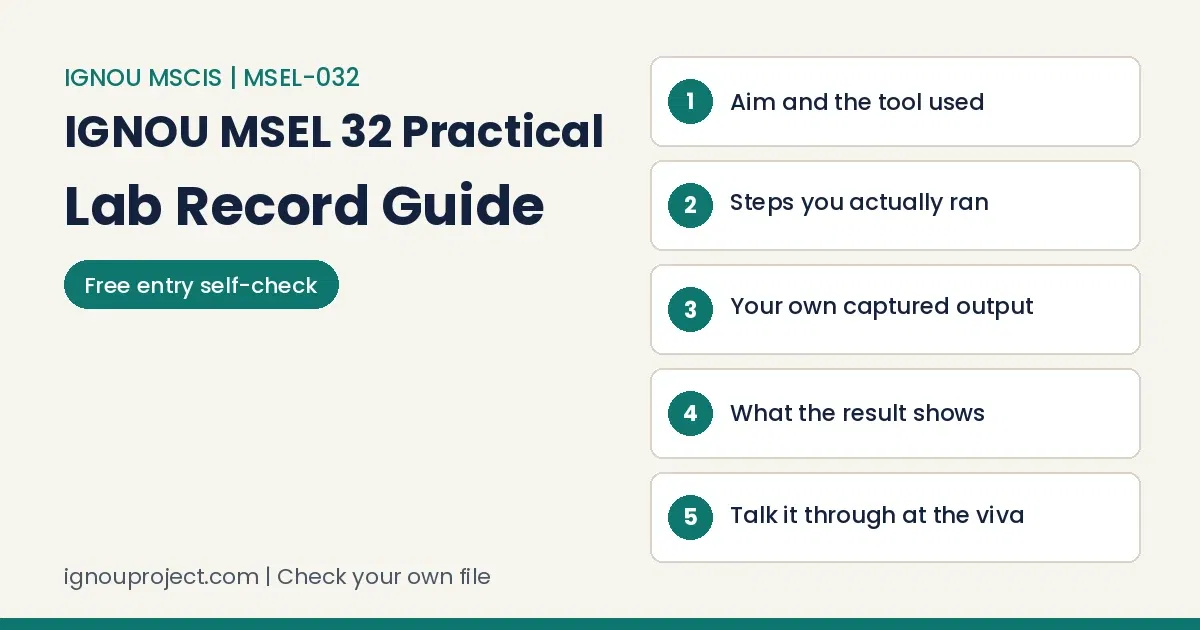
This is where the IGNOU MSEL 32 Practical is won, and also where a thin file is easiest to repair. Since the course wants the logic, the sample input with output, and the documentation per task, a steady MSEL 032 lab record format carries every entry through the same five fields:
- Aim. One line naming the task from the session list, in the manual’s own words.
- Tools and setup. The tool or environment used, and any assumption you took.
- Steps actually taken. What you did, in order, not a rewrite of the theory.
- Output as it appeared. Your own screenshot or result, pinned next to the steps behind it.
- Reading of the result. A line or two on what the output shows and which course idea it stands for.
Entries that only narrate are the ones that bleed marks: the task was done, the screen was watched, and little else. Each unit here answers to a theory paper from the same term, so an entry lands better when its closing line ties the result to the idea behind it, a security control or an audit step or a classifier output, rather than listing the clicks that got there.
Across lab courses, a record usually loses a mark by dropping a field, not by getting one wrong. Holding to the same five fields on every entry, even a one-line task, is what keeps the aim or the interpretation from quietly disappearing partway through the file.
The four units, and what each entry demonstrates
The IGNOU MSEL 32 Practical pulls its tasks from four units, each matched to a theme the MSCIS theory papers raise. You are not expected to master every tool in the manual; you are expected to run the set tasks and talk about them in your own words. Here is the scope, so you know what each unit’s entries should show.
- Unit 1, Cloud Server Implementation and Security. Standing up a cloud server, locking down the resources on it, and handling cloud storage and virtualisation, with a case study or two. Entries show a service model or a control.
- Unit 2, IT Audit and Penetration Testing. The steps an IT audit moves through, and a guided first look at testing, run only against the manual’s own practice targets. Entries show an audit stage or a scanning step on that target.
- Unit 3, Mobile Phone Auditing and Data Recovery. A beginner’s pass at phone and Android forensics, and bringing deleted files back off a pen drive or card. Entries show a forensic step or a recovered item.
- Unit 4, Open Source Data Analytics and Recovery Tools. Open source analytics, a simple machine learning run in a tool like Weka, and one more recovery task. Entries show an analytics output or a recovered file.
Work from the task list printed in your own booklet, because the exact set shifts with the session, and the key at the end of each unit is there to check your output against, not to lift.
A model entry, worked through (illustrative)
Here is one entry written out so the five fields are visible in use. It takes a data analytics task from Unit 4, the sort the booklet has set as a question before. Read it as illustrative; run your own and write your own output.
Aim. To build a decision tree (C4.5) on a sample data set in Weka.
Tools and setup. The Weka explorer, with one of the sample .arff sets loaded from the Weka data folder. Assumption: the sample set stands in for the one named in the session.
Steps actually taken. Opened the explorer and loaded the set; switched to the classify tab; picked the J48 tree; pressed start; then chose visualise tree on the result.
Output as it appeared. [screenshot of the confusion matrix with the correctly classified figure, plus the tree view]. Recorded the accuracy my own run returned.
Reading of the result. The tree splits records on the attributes with the highest information gain, which is the C4.5 idea the course teaches; the confusion matrix counts how many it placed right.
See what turns it from a description into an entry: a real figure from your run fills field four, and field five names the idea instead of saying the screen was watched. That is the gap an examiner pays for.
Entry self check: is your record complete?
Before you bind anything, put each entry past this check. It is the quickest catch for the gaps that cost marks on the IGNOU MSEL 32 Practical. It reads as a plain list; if your browser runs the short script, it also tallies the ticks.
One entry, six checks
On computer records the same three faults keep turning up: a method with no result against it, a result that cannot have come from the steps shown, and code that would not have run at all. This course produces exactly that kind of record, so every task needs its own saved output sitting with the method that made it.
The weakness we meet most in the records sent to us is a result that was never really produced: a confident write-up, then output that could not follow from those steps. Here the result has to come off your own run, because at the viva the examiner can open the file and ask you to reproduce it, and a made-up figure falls apart on the spot.
Answering the two MSEL 032 assignment questions
The two MSEL 032 assignment questions are worth 20 marks apiece and change each session, taken from across the units, so one booklet rarely repeats another’s pair. Two recent sets show the range: one booklet paired a network scan with a decision tree in Weka; another paired an OpenStack deployment with a man in the middle task. Whatever yours prints, answer both fully, show the logic, the sample input with output and the documentation, and state any assumption you made.
Write each answer so it lines up with the matching entry in your record, since the two are marked as a pair and the viva reaches into both. An answer that reports output your record does not hold leaves a visible seam. Keep the wording your own; a worked copy from anywhere is useful only for seeing how an answer is set out.
Seven ways marks slip, and how to stop them
These are the faults that turn up most on files of this kind, each with the fix beside it.
- No result shown. A method with nothing beside it. Fix: save a capture from your own run under every task.
- Result that does not fit. Output that cannot follow from the steps above. Fix: recapture while the task is fresh.
- Narrating, not showing. Entries that say a screen was watched. Fix: add the line that names the idea.
- Everything at the end. A record filled in one go reads flat and repeated. Fix: write each entry the day you run it.
- Page one off. Enrolment or code wrong. Fix: copy both from your record card.
- A field gone. An entry without its aim or its reading. Fix: run the self check above.
- A borrowed file. A ready-made record you cannot talk through. Fix: build your own from the sessions you sat.
A record filled in at the very end, all at once, gives itself away: the sentences repeat, some entries fall on days the lab was shut, and nothing develops between the first task and the last. An entry dated to the day you actually ran the task reads nothing like it, and it is far simpler to defend when the examiner turns to that page.
The MSEL 032 viva questions, and how to be ready
The viva is a full fifth of the IGNOU MSEL 32 Practical, so it earns real preparation rather than a quick glance. The examiner your centre names asks about the work in your own record, and the MSEL 032 viva questions tend to track the file: what a task set out to do, which tool you chose and why, what the output showed, and what you would try if a step failed.
Plenty of learners expect the viva to be a formality, and then a tidy-looking file scores low because its owner cannot say what a task aimed at, how it ran or what it found. The ones who ran everything personally tend to be calmest in the chair, which is the real reason we steer people off ready-made records: a borrowed file shows within a question or two.
A common question we get is whether a viva even applies. For this course it does: the viva voce is part of the marks, and in recent cycles some Regional Centres have run it online instead of at the centre, so check your centre’s notice for the mode as well as the date.
Fee, last date and where the IGNOU MSEL 32 Practical file goes
As a 4-credit practical, this course draws the lower examination slab, Rs 300, paid on the term end examination form and not returned. The file and its record go to your study centre or Regional Centre by whatever route your centre announces, by email, upload or hard copy, ahead of the exam. They are never sent to the Student Evaluation Division, and anything that reaches there is not marked.
The fee trips people up, with the 300 and 500 rupee figures getting mixed. Credits settle it: a four credit practical falls in the lower band, and you pay the amount along with the examination form rather than on its own.
Online hand-ins are where good work gets undone: a question left out, a scatter of loose files where one was wanted, or the wrong details on the opening page. An incomplete upload usually goes unmarked and has to return in the next window, so read the file right through before it leaves your hands, and hold on to the acknowledgement.
Want a second pair of eyes on your own file?
If you have built your own IGNOU MSEL 32 Practical draft and want it looked over before it goes in, we read the learner’s own record and flag what is thin or missing, so you can mend it yourself and still speak to every entry at the viva. We do not write the record for you, and you stay its author. A record check is quoted on WhatsApp; see our services and charges for how it runs. Send only work you ran yourself.
Common doubts while you build the file
Is there a written hall exam for the IGNOU MSEL 32 Practical?
No. IGNOU has said this course sets no standard question paper, so there is no theory-style sitting in a hall. The marks come off the assignment, the record and the viva, and your Regional Centre fixes the date and the arrangements, which lately some centres have run online.
How to make MSEL 032 practical file that holds up at the viva?
Grow it from the sessions you attended, one entry per task, each with its aim, tools, steps, your own saved output and a line of reading. A file that comes out of work you really ran is the only sort you can talk through steadily when the examiner opens it.
Can I hand in the same file as a classmate?
That is a genuine risk. Two matching files at one centre stand out at once, and a copied file comes apart in the viva, where the questions are about work you never did. Rules like attendance handling and the hand-in route also shift from centre to centre, so check them with your own study centre rather than a friend somewhere else.
Starting early is what carries it through
The learners who clear this lab cleanly share a few habits: they begin in good time, settle the exact rules with their own centre, date each entry while the task is fresh, and know every page well enough to speak to it. If you also want printed reference material for the course, the reference set for this course on our publication site sits beside this how-to guide.
The habits matter more than any shortcut: start in good time, check the rules with the centre that holds your file, date the record as you go, and understand each page well enough to put it in your own words. Those four alone head off nearly every reason a practical file comes back.
Sources read for this guide
- The MSEL-032 lab manual from SOVET, the Cyber Attacks, Cloud Security, Data Analytics and Recovery Lab (2023 edition), read November 2026.
- MSCIS third semester assignment booklets, the July 2025 and January 2026 copies from SOVET, read November 2026.
- IGNOU Common Prospectus, July 2026, the MSCIS entry at 3.68 and the practical examination fee rules, read November 2026.
- A copy of the MSCIS Programme Guide, for the attendance and evaluation rules on practical sessions, read November 2026.
- Practical examination notices from the Student Evaluation Division, which record that this course sets no question paper, read November 2026.

BK Sahni iD 0009-0005-8092-459X
Founder, Shri Chakradhar Publication Pvt. Ltd. & ignouproject.com — helping IGNOU distance-learning students since 2010 (5,00,000+ students supported across MBA, MCom, MA & more). Author of IGNOU exam guides, solved assignments & project reference books.
Disclosure: Shri Chakradhar Publication Pvt. Ltd. and ignouproject.com are independent third-party study-help services — not the official IGNOU website. Always verify final dates and rules on ignou.ac.in.