How to do the IGNOU MLIL 003 Practical, from first lab day to viva
The MLIL-003 route in brief
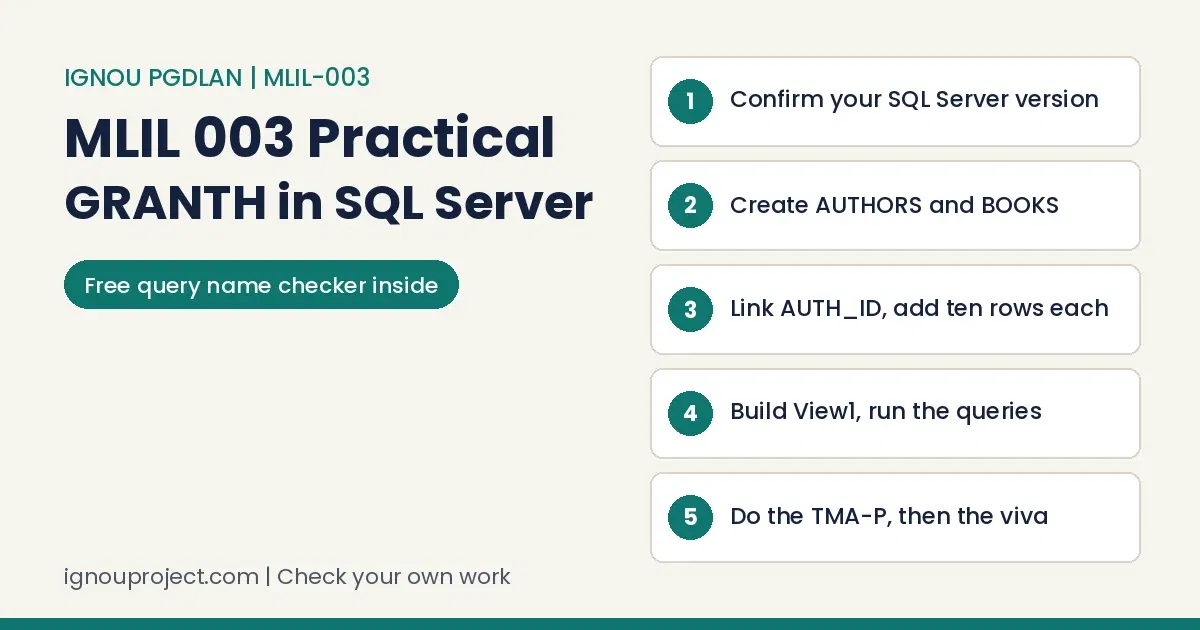
The IGNOU MLIL 003 Practical is done at a keyboard. Build the GRANTH database in MS SQL Server (two tables, ten rows each, a relationship, View1, four SELECT queries), repeat the build on recent papers, do the 50-mark TMA-P at your centre, then sit a two-hour paper: 40 marks for work, 10 for the viva.
The lab manual (Section 1, “Designing Database in MS SQL Server”) teaches through a worked LIBRARY database, then sets eight sessions on GRANTH. The steps below follow that order with current screens, a tested script, a name checker and viva prompts. For the other courses, see our PGDLAN programme overview.
Across practical courses, the lab half worries learners more than any theory paper. MLIL-003 is that half of MLI-003: 40 hours of practical work on Blocks 3 and 4.
Learners often tell us they found the practical component only months into the session. The PGDLAN guide pairs MLIL-003 with MLI-003, so fix your lab days when you open Block 3.
Step 1: find out which SQL Server screen your centre uses
Begin the IGNOU MLIL 003 Practical by asking which version the lab runs. The manual’s figures show SQL Server 2000 tools, Enterprise Manager and Query Analyzer; Microsoft’s SQL Server 2005 notes say Management Studio replaced both. Use this map while reading sections 1.1 to 1.7.
Manual screen and its place in Management Studio
| Manual | Management Studio |
|---|---|
| Databases, New Database | Object Explorer, right-click Databases, New Database |
| New Table, golden key | Tables, New Table; Set Primary Key |
| Open Table, Return All Rows | Edit Top 200 Rows (recent versions) |
| Diagrams, New Diagram | Database Diagrams, New Database Diagram |
| Query Analyzer | New Query, GRANTH picked in the database box |
The June 2025 and December 2024 papers let you choose SQL or Access, while the December 2025 paper named MS-SQL alone. Learn SQL Server first, Access second. If Windows basics feel slow, our MLIL 001 lab task guide covers them.
A common tangle: one task from the manual, another from the counsellor, a third from a senior’s notebook. For MLIL-003, practise the manual’s sessions and do the TMA-P your supervisor sets.
A friend at another centre may follow different lab days. Under the programme guide, your practical work is answerable to the Coordinator of the centre you are attached to, so take questions there.
Step 2: build the GRANTH database in SQL Server
For the IGNOU MLIL 003 Practical, Sessions 1, 2 and 4 ask for one database and two tables. Build them in Design View, as the manual shows, or type them in a New Query window; building both ways fixes the names in memory.
GRANTH tables as T-SQL (Sessions 1, 2 and 4)
CREATE DATABASE GRANTH;
GO
USE GRANTH;
GO
CREATE TABLE AUTHORS (
  AUTH_ID   int IDENTITY(1,1) NOT NULL PRIMARY KEY,
  AUTH_NAME varchar(255) NOT NULL,
  AUTH_ADD  varchar(255) NULL
);
CREATE TABLE BOOKS (
  BOOK_ID   int IDENTITY(1,1) NOT NULL PRIMARY KEY,
  TITLE     varchar(255) NOT NULL,
  AUTH_ID   int NOT NULL,
  PUBLISHER varchar(255) NULL,
  PAGES     varchar(100) NULL
);
GO
IDENTITY(1,1) is the manual’s “Identity: Yes”, NOT NULL is “Null Not Allowed” and PRIMARY KEY is the golden key. The link is left out because Session 5 wants it drawn in a diagram. PAGES stays varchar because the manual’s sample rows hold text such as 343pp.
Hindi-medium learners often say a lab course’s English slows them. PGDLAN is taught in English only; learn IDENTITY, NOT NULL, PRIMARY KEY, FOREIGN KEY and VIEW exactly.
Step 3: draw the relationship, then enter ten rows per table
Session 5 of the IGNOU MLIL 003 Practical manual wants the link in a diagram. Follow these steps in Management Studio:
- Right-click Database Diagrams and choose New Database Diagram (answer Yes if it offers diagram support).
- Add AUTHORS and BOOKS.
- Drag AUTH_ID from AUTHORS onto AUTH_ID in BOOKS.
- Check AUTHORS is the primary key table, press OK and save. The key end of the line marks one author, the other end many books.
Enter authors before books (Sessions 3 and 6), through Edit Top 200 Rows or INSERT statements:
Ten sample rows, two of them printed
INSERT INTO AUTHORS (AUTH_NAME, AUTH_ADD) VALUES ('Meena Iyer', 'Pune');
INSERT INTO AUTHORS (AUTH_NAME, AUTH_ADD) VALUES ('Arjun Rao', 'Hyderabad');
INSERT INTO BOOKS (TITLE, AUTH_ID, PUBLISHER, PAGES)
  VALUES ('Basics of Cataloguing', 1, 'Granth Press', '210pp.');
INSERT INTO BOOKS (TITLE, AUTH_ID, PUBLISHER, PAGES)
  VALUES ('Library Databases in Practice', 2, 'Pustak Bharati', '186pp.');
Never type AUTH_ID in AUTHORS or BOOK_ID in BOOKS; identity columns fill themselves. A book whose AUTH_ID has no author is refused with a FOREIGN KEY error, which is the relationship working. Multi-row VALUES lists need SQL Server 2008 or later.
Many learners paste sample rows from websites unchecked. June 2025 asked for ten “meaningful” records, so take titles from your own library shelf and check each spelling.
Worked example: View1 and the Session 8 MLIL 003 SQL queries
In the IGNOU MLIL 003 Practical, Session 7 asks for a view over both tables, saved as View1. SQL Server refuses two columns with one name in a view, and AUTH_ID sits in both tables, so take it once. This is one way to create a view in SQL Server for Session 7, then the Session 8 queries:
Worked View1 and Session 8 queries (sample data)
CREATE VIEW View1 AS
SELECT B.BOOK_ID, B.TITLE, B.AUTH_ID, B.PUBLISHER, B.PAGES,
       A.AUTH_NAME, A.AUTH_ADD
FROM BOOKS AS B
INNER JOIN AUTHORS AS A ON B.AUTH_ID = A.AUTH_ID;
GO
SELECT * FROM AUTHORS;
SELECT BOOK_ID, TITLE, AUTH_NAME, PUBLISHER FROM View1;
SELECT * FROM BOOKS ORDER BY BOOK_ID ASC;
SELECT BOOK_ID, AUTH_NAME, PUBLISHER FROM View1 WHERE BOOK_ID = 2;
The printed Session 8 lines ask for a column AUTHORS that GRANTH never had, so the View1 queries use AUTH_NAME. With the sample rows, the last query returns one row:
| BOOK_ID | AUTH_NAME | PUBLISHER |
|---|---|---|
| 2 | Arjun Rao | Pustak Bharati |
We ran the join on a test copy: both tables and View1 return 10 rows, and a book pointing at AUTH_ID 99 is rejected.
Check each query’s names before you press Execute
In the IGNOU MLIL 003 Practical, one wrong table or column name stops a query. Paste a query below; the checker lists every word that is neither a common SQL keyword nor a GRANTH name.
GRANTH query name checker
Without JavaScript, compare by eye: AUTHORS, BOOKS, View1, AUTH_ID, AUTH_NAME, AUTH_ADD, BOOK_ID, TITLE, PUBLISHER, PAGES.
Your result will appear here.
Some learners hand in AI-written answers untouched. A chatbot has never seen your GRANTH tables; check its names here, then run every line yourself.
Rehearse the MLIL 003 ER diagram and the recent paper builds
Once GRANTH runs, rebuild the IGNOU MLIL 003 Practical tasks from recent papers without notes, because the names change:
- June 2025: IGNOU Library, with Journals and Publishers linked on Pub ID, ten rows each, then all publishers by SQL. This is the manual's own LIBRARY example (sections 1.2 to 1.5) with journals for books.
- December 2024: PUSTKALAYA, with Books and Publishers on the same pattern.
- December 2025: Granth, with Authors (name, age, designation, country) and Subject (Subject_ID, Subject_Name, Author_Name), ten rows each, then a 15-mark ER diagram.
December 2025 is the hard one: Subject carries Author_Name, not an ID. Either make author name the primary key of Authors and Author_Name in Subject its foreign key, or add Author_ID to both; tell the examiner which. For the MLIL 003 ER diagram, a database diagram saved in SQL Server shows the keys and the one-to-many line. On paper, draw entity rectangles with attributes, underline keys and join them through "writes", marked 1 and N.
Ready-made practical files circulate online under new names. Here they fail: three successive papers used Granth, IGNOU Library and PUSTKALAYA, and the viva tests your own screen.
The RESOURCES task: working through the TMA-P at your study centre
The assignment half of the IGNOU MLIL 003 Practical is a 50-mark TMA-P in the 2026 PGDLAN booklet, done at the Study Centre or TLC on data the supervisor provides and evaluated on the spot from screen captures saved in one file. SQL commands or MS-Access may be used.
- RESOURCES database; STAFF (STAFF_ID, STAFF_NAME, STAFF_AGE, STAFF_ADDRESS, DIVISION_ID), 15 records (15 marks). The booklet says "AUTHORS" here; confirm STAFF is meant.
- DIVISION (DIVISION_ID, DIVISION_NAME, DIVISION HEAD_ID), 15 records (15). Write DIVISION_HEAD_ID, or bracket the name, since SQL Server needs brackets around a space.
- All staff (5): SELECT * FROM STAFF;
- E-R diagram (5): DIVISION_ID is the key of DIVISION and the foreign key in STAFF.
- 15 records per table through FORM views (10).
Section 1.5 of the manual says SQL Server has no Forms object, unlike MS-Access, so plan question 5 in Access or ask how the centre wants it. Capture each answer as Q1 to Q5. The booklet prints 30 September 2026 (January session) and 31 March 2027 (July session). The same capture habit serves our MLIL 002 SOUL lab guide.
In our records, 70 to 80 percent of learners start during the final month before a due date. A TMA-P runs on the centre's lab days, which may come well earlier.
Some learners wait for IGNOU to extend the date. The 2026 booklet promises no extension, and a lab day fixed by the centre will not move.
Most learners we help work, run a home, or both, and skip some theory counselling. Labs differ: the prospectus makes practical attendance compulsory.
IGNOU MLIL 003 Practical mistakes, and the fix for each
These slips cost marks in the IGNOU MLIL 003 Practical; clear them before the examiner looks.
Mistake and the fix that clears it
| Mistake | Fix |
|---|---|
| LIBRARY names (PUB_ID, AUTHORS) typed into GRANTH | Use AUTH_ID, AUTH_NAME, AUTH_ADD; run the checker |
| BOOKS filled before AUTHORS | Fill AUTHORS first |
| View built as SELECT * across both tables | List columns; take AUTH_ID once |
| Queries run against master | Pick GRANTH, or start with USE GRANTH; |
| Output printed, never saved | Save the .sql file; keep the database |
| Computer practical records we see show code without output, output from other code, or code that fails. Rerun each MLIL-003 query just before calling the examiner. | |
| A wrong enrolment number or centre on a front page is common across courses. Here every printout needs Roll No., study centre and exam date. | |
| We often see lab attendance never marked. No MLIL-003 document lists an attendance sheet, but check your presence is recorded each session. | |
Exam day: a minute plan for the IGNOU MLIL 003 Practical
The IGNOU MLIL 003 Practical paper runs 2 hours for 50 marks (40 work, 10 viva), with no manual or handbook allowed.
Suggested pacing for the 120 minutes
| Minutes | Work |
|---|---|
| 0 to 10 | Read; raise any table-name mismatch first |
| 10 to 50 | Database, tables, keys, rows |
| 50 to 75 | Relationship or ER diagram, saved |
| 75 to 100 | Queries, each run and saved |
| 100 to 120 | Printouts on the RD-signed, stamped sheet; call the examiner |
The SED date sheet of 30 October 2026 prints MLIL003 against 4 January 2027 with an asterisk telling candidates to contact their Regional Centre for the exact date and venue; see our December 2026 date sheet search. Hall tickets appear online 7 to 10 days before exams; carry your IGNOU identity card. The practical fee goes with the term-end form: Rs 300 up to 4 credits, Rs 500 above.
Eight ticks before the examiner reads your screen
Practical batches run on set days, sometimes far from home, listed on centre notice boards. For MLIL-003, only your Regional Centre confirms the day; keep checking.
Unsigned supervisor sheets turn up across courses. Here the sheet needing a signature is the printout page, signed and stamped by the RD.
Learners mix up the Rs 300 and Rs 500 fees. The prospectus ties the fee to credits, and the guide prints 4 for Information Systems, pointing to Rs 300; pay what the form charges.
MLIL 003 viva questions to practise aloud
The viva is 10 of the 50 marks in the IGNOU MLIL 003 Practical, asked about what you built. Answer each in two sentences.
What the examiner may ask about GRANTH
- Why is AUTH_ID a primary key in AUTHORS but a foreign key in BOOKS? (Each author appears once; BOOKS repeats the ID, one author to many books.)
- What does Identity do? (SQL Server numbers new rows, so keys never repeat.)
- Why may AUTH_ADD be empty but not AUTH_NAME? (An address can be unknown; a nameless author is useless.)
- How is a view unlike a table? (It stores the query, not the data.)
- What happens to a book with AUTH_ID 99 and no such author? (The relationship refuses it.)
Blocks 3 and 4 of MLI-003 hold the theory; our eGyanKosh study material guide shows where IGNOU posts blocks.
Some learners expect a formality. A tidy screen earns little without reasons for each key, and those who built GRANTH themselves answer most easily.
Does a viva apply to me? For MLIL-003, yes: December 2025 prints a viva-voce of 10 marks.
Have your own capture file and scripts read
For a second pair of eyes on your own IGNOU MLIL 003 Practical work, send your TMA-P capture file, .sql scripts or ER diagram on WhatsApp. We point out wrong names, missing keys and unsaved outputs; you fix and rerun them yourself. The check is quoted on WhatsApp; see our services and charges page.
Learners without proof have nothing to show when a mark vanishes. Keep your own copy of the capture file and note who marked it, and when.
Questions learners send us about MLIL-003
Asked at our desk about this lab
Can I practise the IGNOU MLIL 003 Practical at home?
Yes. Microsoft's free Express edition with Management Studio runs on a Windows laptop, and every step here works there. The TMA-P is still done and marked at the centre.
Where does the MLIL-003 practical assignment go?
It is done and evaluated at your Study Centre or TLC; the programme guide routes practical assignments to its Coordinator.
Some learners are unsure whether work belongs at the study centre or the Regional Centre. For this TMA-P, it is the centre where you sat the session.
Some learners email their work instead. Mailed captures cannot replace the on-the-spot evaluation the booklet describes.
Whom do I contact if my MLIL-003 marks are missing?
Your Regional Centre first. The Common Prospectus lists the practical marks desk at practicalsed@ignou.ac.in, 011-29572212. The guide needs at least 40% in practicals to clear the course.
Practical marks often reach the grade card after theory marks. With a one-year minimum, PGDLAN learners feel that delay at once.
Putting the IGNOU MLIL 003 Practical together
Build GRANTH twice, rehearse three papers, do the TMA-P on the centre's day, and walk in able to explain every key: that is the IGNOU MLIL 003 Practical in one line. For reading beside the lab, see the reference material for this course on our publication site; for the final component, see our PGDLAN project MLIP-008 guide.
Learners who finish well begin early, check their own centre's rules, note session dates and can explain each table aloud.
Three causes recur: late news that differs by centre, lab demands on scarce time, and work treated as layout. The MLIL-003 examiner tests skill on a live database.
IGNOU documents behind this guide
- MLIL-003 lab manual, Section 1 (20 pages, read in full)
- PGDLAN Programme Guide
- Common Prospectus, July 2026
- PGDLAN assignments 2026, MLI-003 file
- MLIL-003 paper, December 2025
- MLIL-003 paper, June 2025
- MLIL-003 paper, December 2024
- SED date sheet, December 2026
- Microsoft note on SQL Server 2000 tools
How this guide was made: the documents listed above were read in November 2026. Drafting was AI-assisted; every rule was checked against those documents; BK Sahni publishes the guide under his editorial responsibility.
ignouproject.com is not affiliated with, authorised by or endorsed by IGNOU. We check and explain learners' own work; you remain the author of your database, queries and capture file.

BK Sahni iD 0009-0005-8092-459X
Founder, Shri Chakradhar Publication Pvt. Ltd. & ignouproject.com — helping IGNOU distance-learning students since 2010 (5,00,000+ students supported across MBA, MCom, MA & more). Author of IGNOU exam guides, solved assignments & project reference books.
Disclosure: Shri Chakradhar Publication Pvt. Ltd. and ignouproject.com are independent third-party study-help services — not the official IGNOU website. Always verify final dates and rules on ignou.ac.in.