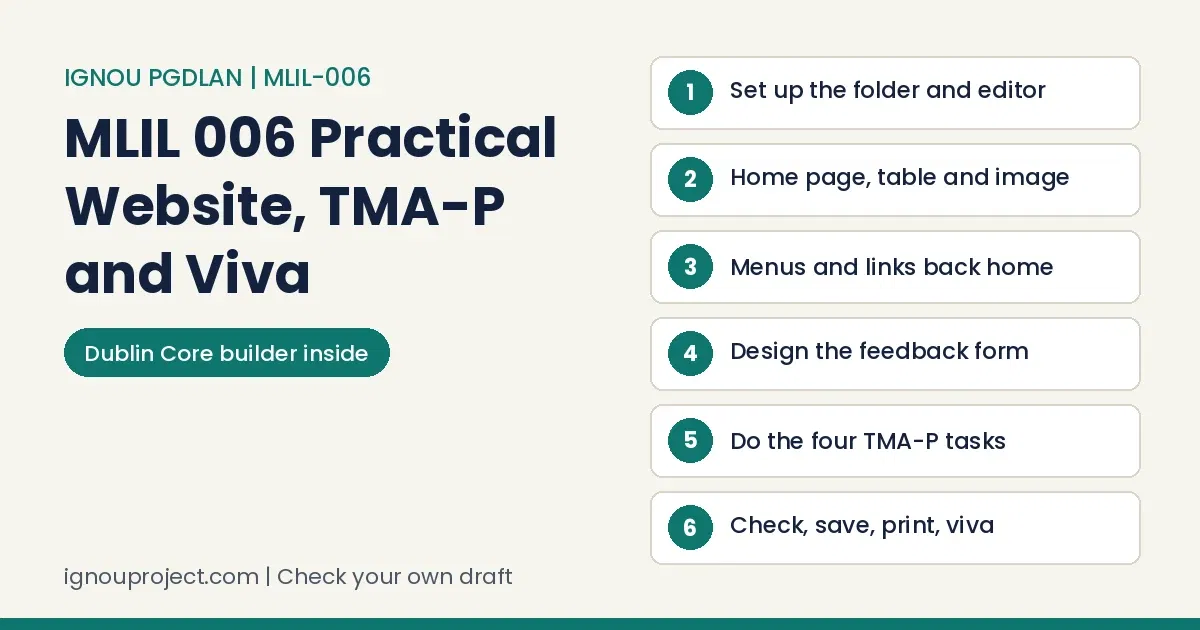
IGNOU MLIL 006 Practical from the first lab session to the viva
IGNOU MLIL 006 Practical tests one set of skills twice for PGDLAN learners: first in four metadata and web tasks done at the study centre for the TMA-P, then in a small library website typed from memory in the two-hour term-end practical. This guide takes both in the order you will face them.
The MLIL-006 route in one look
IGNOU MLIL 006 Practical means a 50-mark TMA-P, worked and marked at your study centre and kept as screen captures in one file, plus a two-hour term-end practical: 40 marks for a website built from text on the paper and 10 for viva-voce, with no manual allowed.
The course pairs with MLI-006 Content Development in the PGDLAN programme overview, with 80 practical hours in the programme guide.
Across practical courses we meet learners who learn of the lab component halfway through a session. If that is you, MLIL-006 can still be planned: the July 2026 assignment runs to 31 March 2027.
Most learners we talk to hold a job, run a home, or both, so optional sessions get skipped. The MLIL-006 TMA-P cannot be: the 2026 file has it done at the Study or Tele Learning Centre and marked there.
Learners often ask where practical work is handed in: at the study centre, or at the Regional Centre? For the MLIL-006 TMA-P it is your Study Centre or TLC, shown to the counsellor there.
Set up the folder and the editor before you type a tag
For IGNOU MLIL 006 Practical every page is a plain text file: manual 1.2 types it in an editor such as Notepad, saves it as .html and opens it in a browser. Set that loop up once:
- Make one folder for the site, with an
imagesfolder inside. - In Notepad use Save As, type All Files, name
index.html; a hidden .txt ending shows your tags as text. - Keep editor and browser side by side; press F5 after each save.
- Name pages in lower case without spaces (
services.html) so links match.
File and folder basics are in the MLIL-001 computer practical guide.
In computer practicals we keep meeting markup with nothing on screen, output unlike the code, or files that will not open. Refresh after every save, so a broken MLIL-006 tag shows while it is one line old.
Learners from Hindi-medium schooling tell us technical English slows them most. PGDLAN is taught in English only, so learn href, src, action and method as words you can say aloud.
Step 1: skeleton, home page text, a table and an image
Each IGNOU MLIL 006 Practical paper prints text about one library: history, collection, services and hours. The first 20 marks come from turning it into a home page, starting from the frame in manual 1.2:
<html><head><title>College Library</title></head>
<body bgcolor="#ffffee">
<h1>College Library</h1>
<img src="images/library.jpg" alt="Library building" width="300">
<p>Introduction typed from the paper.</p>
<table border="1" cellpadding="6">
<tr><th>Days</th><th>Hours</th></tr>
<tr><td>Monday to Saturday</td><td>as printed</td></tr>
</table>
</body></html>
Type the paper’s figures exactly. Timings, collection and staff go in a table (manual 1.7); an image goes in with IMG and SRC (1.6) where asked.
Learners bring us one layout from the manual, another from a counsellor and a third from a senior’s printout, and ask which wins. In the MLIL-006 exam the printed question wins: build exactly the pages, menus and fields it names.
Step 2: menus and the link home on every IGNOU MLIL 006 Practical page
Menu marks in IGNOU MLIL 006 Practical papers (8 in December 2025 and June 2026, 6 in June 2023) are earned by links that work. Paste one menu line on every page and create every target page (anchors, manual 1.5):
<p><a href="index.html">Home</a> | <a href="policy.html">Library Policy</a> |
<a href="faq.html">FAQs</a> | <a href="feedback.html">Feedback</a></p>
HTML frameset for a banner and a menu
The June 2023 paper put the banner and menu in frames, so practise the HTML frameset from manual 1.8. It replaces the body; menu links name the frame they open in:
<frameset rows="20%,*">
 <frame name="banner" src="banner.html" noresize>
 <frameset cols="25%,*">
  <frame name="menu" src="menu.html">
  <frame name="main" src="home.html">
 </frameset>
</frameset>
menu.html: <a href="services.html" target="main">Services</a>
WHATWG calls frames obsolete for authors but still defines their rendering; live sites use iframe and CSS. Build what the paper asks.
Three things trip learners across practicals: late news that differs by centre, labs that assume centre hours working learners lack, and output treated as decoration rather than proof of skill. An MLIL-006 menu scores on working, not colour.
Step 3: the HTML feedback form, worked on a practice brief
In IGNOU MLIL 006 Practical papers the feedback form carried 12 marks in December 2025 and June 2026 and 14 in June 2023. Manual 1.9 gives the controls: INPUT (text, radio, checkbox, Submit, Reset), TEXTAREA and SELECT with OPTION.
Practice brief of our own: three pages and a form
Brief (from no paper): a college library needs Home, Services and Feedback pages with a menu, and a form for name, member type, services used, rating and comments.
| File | Holds | Test |
|---|---|---|
| index.html | Heading, image, text, hours table | Every menu link opens |
| services.html | Services list | Home link returns |
| feedback.html | The form below | Clear empties it |
<form method="post" action="#">
Name: <input type="text" name="uname" size="30"><br>
<input type="radio" name="mtype" value="student"> Student
<input type="radio" name="mtype" value="staff"> Staff<br>
<input type="checkbox" name="svc" value="opac"> OPAC
<input type="checkbox" name="svc" value="ej"> E-journals<br>
<select name="rating"><option>Good<option>Fair<option>Poor</select><br>
<textarea name="comments" rows="4" cols="40"></textarea><br>
<input type="submit" value="Send"> <input type="reset" value="Clear">
</form>
Result: radio buttons sharing a name allow one choice; checkboxes allow several. The action “#” stands in for the manual’s server script, as a lab system has no server; say so if asked why Send does nothing.
Learners who come through practicals smoothly start early, confirm the rules at their own centre, save a dated copy of each version and understand every line they typed. Here, that means saying why both MLIL-006 radio buttons carry the name mtype.
TMA-P questions 1 and 2 in the IGNOU MLIL 006 Practical file
The 2026 IGNOU MLIL 006 Practical assignment has four compulsory questions for 50 marks, none marked separately. Your Counsellor or Practical Supervisor supplies documents and data, and each answer becomes a screen capture kept in one file.
Question 1: relational content analysis of five library websites
- Choose five central university library websites (JNU, Hyderabad, BHU, Pondicherry, Delhi) and capture each home page with the date.
- Fix five or six concepts: e-resources, OPAC, remote access, services, help.
- Code relations, not just presence: does the OPAC sit with the e-resources, does remote access say who may use it?
- Record a matrix, one row per site, and write a short comparison (MLI-006 Block 1).
Some learners write what they expect a site to show instead of what it shows. Every cell of your MLIL-006 matrix should point to a page you opened and captured.
We also see AI-written text handed in unchanged; it describes library websites in general, not your five. Write the comparison from your own matrix.
The MLIL-005 internet resources guide covers capturing sites; the MLIL-004 network practical guide helps when one will not load.
Question 2: Dublin Core metadata elements for each source type
List the source types an academic library holds (books, journals, theses, e-books, maps, audio-visual items, reports), then describe at least five entries under each with the Dublin Core metadata elements: Title, Creator, Subject, Description, Publisher, Contributor, Date, Type, Format, Identifier, Source, Language, Relation, Coverage and Rights. Type and Format change most between categories. The lab manual skips Dublin Core, so use the course book.
Tips from a friend at another centre mislead here. The 2026 file leaves documents and data to your own Counsellor or Practical Supervisor, so entries made on someone else’s set will not match yours.
Dublin Core entry builder
Type one entry to get dc: lines for your capture file.
The dc: lines appear here.
TMA-P questions 3 and 4: Z39.50 import, MARC records and the LIS page
Question 3: import ten titles and build a MARC bibliographic record
For this IGNOU MLIL 006 Practical task, manual Section 3 points to a Library of Congress web gateway the Library now says is discontinued; Z39.50 searching goes on through client software. MarcEdit, used in manual Section 2, shows a Z39.50 add-in on its main menu (Fig. 2.1). Add the Library with its published settings: host lx2.loc.gov, port 210, database LCDB, MARC 21, no password. Save ten titles and capture each step.
Then prepare five MARC bibliographic records for different kinds of source. A book rebuilt from the manual’s Fig. 3.6 (# is a blank indicator):
| Tag | Ind. | Content |
|---|---|---|
| 050 | 00 | $a Z696 $b .R22 1967b |
| 100 | 1# | $a Ranganathan, S. R. $q (Shiyali Ramamrita), $d 1892-1972. |
| 245 | 10 | $a Prolegomena to library classification / $c by S. R. Ranganathan. |
| 260 | ## | $a London : $b Asia Publishing House, $c 1967. |
Add 300 (extent) and 650 subjects from the imported record. A serial adds 022 (ISSN) and 310 (frequency); a thesis adds a 502 note. SOUL cataloguing in the MLIL-002 SOUL practical guide uses the same tags.
Ready-made practical files circulate online, and some reach centres with only the name changed. In MLIL-006 the counsellor watches the TMA-P being done and the examiner opens your saved files, so a borrowed record has nowhere to stand.
Question 4: an HTML page on IGNOU’s LIS programmes
Build one page for PhD, MLIS, BLIS, PGDLAN and CLIS under the heads the question names, as a table with one row per programme and one column per head. Take every figure from the current IGNOU programme page or prospectus, note the source under the table, and write descriptions in your own sentences.
Many learners lift wording from websites without checking how much came across. The 2026 file gives zero marks for copying from study material and rejects assignments copied between learners, so retype facts in your own words.
In our records, 70 to 80 percent of learners start only in the last month before a due date. The July 2026 MLIL-006 TMA-P closes on 31 March 2027 and each task needs a centre slot, so a March start leaves almost no room.
Mistakes that cost marks, and the repair
| Slip | Repair |
|---|---|
| Page saved as index.html.txt | Save As again with All Files |
| Link says Services.html, file is services.html | Match name and case exactly |
| Menu on the home page only | Paste the menu line into every page |
| Form with text boxes only | Add the controls the question names |
| Printout on an unsigned sheet | Across practicals we see signatures left off. MLIL-006 printouts go on the sheet signed and stamped by the RD (December 2025 says SD); ask for it first. |
| Wrong roll number or centre on the sheet | A slip we meet regularly. Write Roll No., study centre and exam date on each sheet before printing. |
| No proof of the TMA-P marking | Learners without a record are stuck when a mark goes missing. Keep the capture file and note when and by whom it was marked. |
Exam day timing for the IGNOU MLIL 006 Practical: a 120-minute plan
The IGNOU MLIL 006 Practical paper allows two hours for 50 marks, 40 for practical work and 10 for the viva, at a weightage of 40 percent, with no manual or handbook. A split that follows the June 2026 marks:
| Minutes | Work | Marks |
|---|---|---|
| 0 to 10 | Read, list pages and file names, make the folder | none |
| 10 to 55 | Home page: text, table, image | 20 |
| 55 to 75 | Other pages, menu on each | 8 |
| 75 to 105 | Feedback form | 12 |
| 105 to 120 | Open every page, save, print | none |
The December 2026 sheet stars MLIL001 to MLIL007 and sends learners to their Regional Centre for date and venue, as the December 2026 exam date sheet notes; rules common to all labs are in the IGNOU practical overview.
Lab dates are fixed and the venue can be far from home. Since the MLIL-006 date comes from the Regional Centre, not the sheet, check its notices weekly.
The Rs 300 and Rs 500 practical fees get confused often. MLIL-006 falls in the July 2026 prospectus slab of Rs 300 (courses up to 4 credits), which goes in with your exam form.
Before the examiner walks over: eight checks
MLIL 006 viva questions to answer aloud
Ten IGNOU MLIL 006 Practical marks belong to the viva-voce. Practise these:
- What does HTML stand for, and why is it not a programming language?
- How do the HREF and NAME attributes of an anchor differ?
- Why do your radio buttons share one name?
- What do METHOD and ACTION do in a form?
- What is a frameset, and what replaces it today?
- How does XML differ from HTML, and why do libraries use it for MARC data?
Many learners treat the viva as a formality, yet a tidy page loses ground when its author cannot explain it. With 10 MLIL-006 marks at stake, a learner who typed every line can answer straight from the site.
“Is there really a viva in a lab exam?” comes up often. The recent MLIL-006 papers print 10 marks for viva-voce, so plan for it.
Have your own capture file or markup checked
If you have made your IGNOU MLIL 006 Practical captures or a practice site and want a second look before the counsellor sees them, send the file you made. We check markup, links and capture order against the 2026 file and recent papers, point out gaps and explain each fix; you make the changes and remain the author. The check is quoted on WhatsApp; see our services and charges page. We never build TMA-P answers or exam sites.
Questions PGDLAN learners ask about the content lab
Asked at our desk about MLIL-006
Can I practise the IGNOU MLIL 006 Practical at home?
Yes for the exam skills; Notepad and a browser are enough. The TMA-P must be done at the centre.
Some learners email practical work instead of following the course route. The MLIL-006 TMA-P is shown to the counsellor at the centre, so an emailed file cannot replace it.
Will IGNOU extend the TMA-P date?
The 2026 file prints 30 September 2026 for the January session and 31 March 2027 for the July session and mentions no extension; after a year the next fresh set applies.
Many learners believe every last date moves by a month and wait for a second one. With MLIL-006 the wait costs more, because the work also needs your counsellor’s time.
Where will my MLIL-006 marks show?
On the grade card. For queries, the prospectus lists 011-29572212 and practicalsed@ignou.ac.in for practical marks; quote your enrolment number, PGDLAN, the course code and the session.
Practical marks often land after theory marks, which can leave a diploma pending when a job or admission asks for it. Allow for that gap in your last MLIL-006 attempt.
Putting the IGNOU MLIL 006 Practical together
IGNOU MLIL 006 Practical rewards one habit in both halves: build a little, open it, fix it, keep a dated copy. Finish the TMA-P while the July 2026 file is open, and rehearse a full two-hour site twice before the exam. The database lab is in the MLIL-003 SQL Server practical guide and the final stage in the PGDLAN project guide for MLIP-008. Printed theory reading is listed as reference material for this course on our publication site.
Learners who clear theory papers easily are often the most anxious about a lab. MLIL-006 needs only Notepad and a browser to rehearse.
Documents read for this guide
Official files and pages behind each step
- MLIL-006 lab manual (uploaded)
- PGDLAN assignments 2026
- PGDLAN Programme Guide
- MLIL-006 papers: June 2026, December 2025, June 2023
- Common Prospectus, July 2026
- LC gateway notice, LC server settings
- DCMI element set 1.1, WHATWG obsolete features
Method: the documents listed above were read in November 2026. Drafting was AI-assisted, every step and figure was compared with those documents, and the guide appears under BK Sahni’s editorial responsibility.
ignouproject.com is an independent service, not affiliated with IGNOU and not authorised or endorsed by it. We check and correct a learner’s own captures and markup; we do not build TMA-P answers or exam sites, the learner remains the author, and IGNOU’s counsellors and examiners award every mark.

BK Sahni iD 0009-0005-8092-459X
Founder, Shri Chakradhar Publication Pvt. Ltd. & ignouproject.com — helping IGNOU distance-learning students since 2010 (5,00,000+ students supported across MBA, MCom, MA & more). Author of IGNOU exam guides, solved assignments & project reference books.
Disclosure: Shri Chakradhar Publication Pvt. Ltd. and ignouproject.com are independent third-party study-help services — not the official IGNOU website. Always verify final dates and rules on ignou.ac.in.