
Submitting your IGNOU assignments correctly and on time is crucial for success. IGNOU requires every student to submit course assignments before the Term-End Exam (TEE) for each session. This comprehensive guide explains how to submit IGNOU assignments, the IGNOU assignment submission process (both offline and online), important deadlines for June and December exams, assignment format guidelines, and answers to common queries. By following these instructions, you can avoid delays, ensure your work is accepted, and secure the assignment marks that count towards your final result.
Why is assignment submission important? In IGNOU’s evaluation system, assignments typically carry 30% weightage of your course marks, while term-end exams carry 70%. More importantly, you cannot appear for the TEE unless you submit the assignments for that course. Timely submission ensures your marks are added to your grade card and keeps your studies on track. Whether you are pursuing IGNOU BA, MA, B.Com, M.Com, MBA, B.Ed, or any other program, the assignment submission process is essentially the same for all courses and sessions. Below, we break down the steps and guidelines to help you through the IGNOU assignment submission process.
Download IGNOU Solved Assignment for all IGNOU’s Courses (Latest Session) in Soft-Copy (PDF): Click Here
IGNOU Assignment Submission Deadlines and Schedule
Each academic session has a cut-off date by which assignments must be submitted. Missing the IGNOU assignment last date can have serious consequences, so it’s important to know the schedule for your program:
- For June Term-End Exam (TEE) – If you enrolled in the January session, your assignments are usually due by 31st March for the June TEE. In many cases, this deadline is extended into April or even May for the current session. For example, in some recent years the last date was extended to mid-May. Always verify the exact date announced for that year, as IGNOU often issues extensions or adjustments.
- For December Term-End Exam (TEE) – If you enrolled in the July session, the typical due date is 30th September for the December TEE. This deadline too may be extended to October or November depending on the circumstances. Keep an eye on official updates for any assignment deadline extended notifications.
These are general timelines; always check the latest official announcement from IGNOU for the exact last date each semester, since it can vary by session or be revised. It’s best not to wait until the very last day. Submit your work early so that if any issues arise (like technical problems with online submission or delays in postal delivery), you have time to resolve them. Early submission also means your IGNOU assignment submission status and marks are more likely to be updated in the system by the time results are compiled.

What happens if you miss the deadline? If you fail to submit by the last date (and any extended date), your assignment may not be accepted for that TEE cycle. This means your assignment marks will not be added for that term, and you may not be allowed to sit for the exam for that course. You would then have to submit the assignment in the next session, which delays your progress by 6 months or more. Missing the deadline can thus postpone your graduation. In short, never ignore the submission dates – plan to finish your assignments well in advance.
IGNOU Assignment Format and Guidelines
Before you submit, you must prepare your assignment answers in the proper format following IGNOU’s guidelines. Adhering to the official IGNOU assignment guidelines will ensure your work is accepted without any issues. Important points to remember include the following:
- Handwritten or Typed? IGNOU assignments must be handwritten. Typed or printed submissions are not accepted under standard guidelines. Write your answers neatly on A4 size ruled paper. Use blue or black ink (avoid red or other colors which are reserved for examiners). Clear handwriting is important for the evaluator to read your responses. If your handwriting is poor, take your time to write more legibly.
- Follow the Assignment Instructions: Each assignment question usually comes with specific instructions or a word limit. For example, a question might suggest writing the answer in 500 words. Adhere to these IGNOU assignment word limit suggestions as closely as possible. If no word count is given, answer comprehensively but concisely, focusing on the question’s requirements. Stay on topic and avoid unnecessary filler content.
- Numbering and Order: Write the answers in the same order as the questions. Clearly number each answer with the corresponding question number. Do not copy the answers from peers or sources – plagiarism can lead to your IGNOU assignment being rejected or getting a zero. Always use your own words and understanding. Once you complete writing, number the pages sequentially (1, 2, 3, …) and secure them together (by stapling or tying). This ensures nothing is lost and the evaluator can follow your work easily.
- IGNOU Assignment Cover Page (Front Page): The first page of each assignment answer set should be a cover page with essential details. This standard IGNOU assignment cover page format helps identify your work. Include the following information on the front page (you may use a printed proforma given by your study centre or neatly handwrite these details):
- Student NameEnrollment NumberProgram Title and Code (e.g., Bachelor of Arts – BA, Master of Commerce – MCOM, etc.)Course Code & Course Title (e.g., ECO-01 for Economics course, etc.)Assignment Code (as given in the assignment question booklet, e.g., MMPP-01/TMA/2025)Session (e.g., January 2025 or July 2025 for which you are submitting)Study Centre Code and Name (the code or name of your allotted study centre)Regional Centre (name of your IGNOU regional centre)Date of SubmissionStudent’s Contact Details (some forms include your address, email, and phone number on the cover page)
- Formatting Your Answers: Use a clean layout. Leave a margin on the left side of each page (about an inch) – this space is often used by evaluators to write marks or remarks. Write on one side of the page if possible (unless instructed otherwise) to keep it neat. After finishing all answers, it’s a good idea to compile them in a light file or tie them together. A well-organized assignment (with pages in order and a proper cover page) creates a good impression and prevents pages from getting lost.
- Scanning and Copy for Records: It’s wise to keep a personal copy of your completed assignments. Before submission, scan your handwritten pages into a PDF or take clear photos of each page and compile them. This way, if the submitted assignment is misplaced or any dispute arises, you have proof and backup. Scanning is also necessary if you will be submitting online (explained below). Ensure the scanned PDF is clear and readable – check that all pages are included and in correct order.
By following these IGNOU assignment instructions on format, you minimize the risk of rejection due to technicalities. Preparing the assignment correctly is as important as the content of your answers. Now that the assignment is ready, let’s look at where and how to submit it.
Must Read: IGNOU Assignment Sample
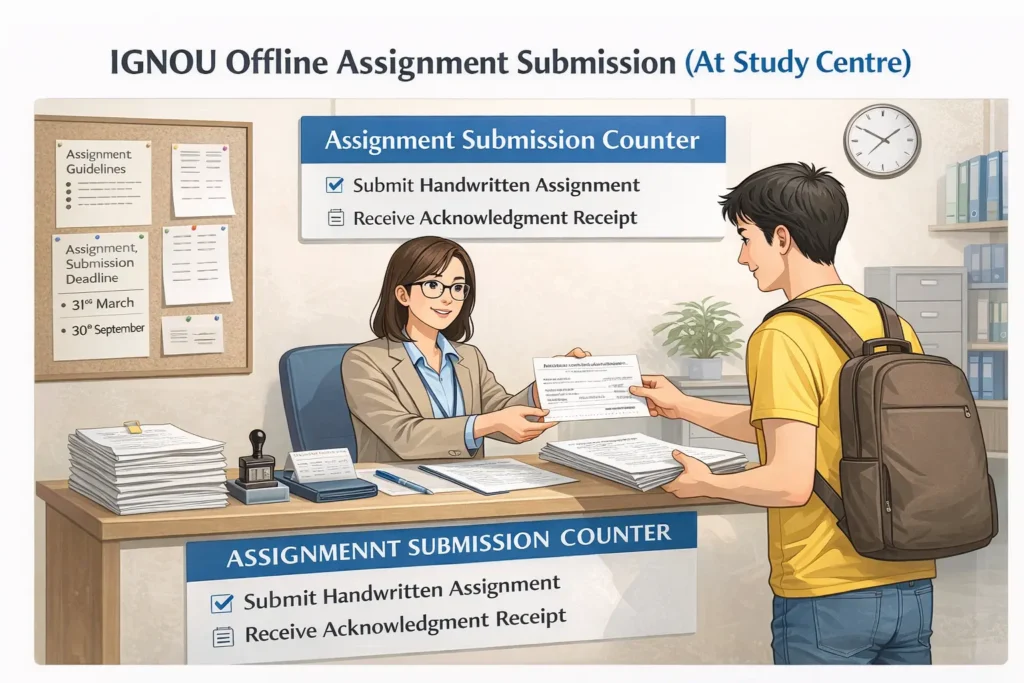
IGNOU Offline Assignment Submission (At Study Centre)
For most traditional Open and Distance Learning students, the standard method is to submit a hard copy of the assignment at your designated study centre. This is often referred to as offline submission. Here is the IGNOU assignment submission process for offline mode:
- Complete the Assignment – Ensure you have written all answers by hand and attached the cover page with all required details for each course assignment. Double-check that you’ve included everything as per the guidelines (as explained above).
- Visit Your Study Centre – Find out the working hours and days of your IGNOU study centre (usually they are open on weekdays and sometimes weekends during specific hours). It’s best to go well before the last date to avoid crowds or any last-minute issues. If you are unsure where to submit or looking for “IGNOU assignment submission near me”, remember that you should submit it to the study centre assigned to you (the one associated with your enrollment, typically near your location or chosen during admission). Do not submit assignments to the Regional Centre or any other office unless explicitly instructed; the study centre is the primary point for assignment submissions.
- Submit to the Coordinator/Instructor – At the centre, inform the staff that you are there to submit assignments. Typically, the Study Centre has a Coordinator or Programme In-Charge who collects assignments, or there may be a designated drop box or counter. Hand over your neatly compiled assignment to the authorized person. If you have assignments for multiple courses, usually you submit them all together, but ensure each is separate with its cover page.
- Collect Acknowledgement Receipt – After handing in the assignments, obtain an acknowledgement. This could be a stamped and signed receipt, or a signature on a submission form or on a copy of your cover page. The IGNOU assignment acknowledgement receipt is proof that you submitted your work on a certain date. It typically has your enrollment number, course codes, submission date, and an official stamp/signature. Do not leave without this receipt. Keep it safe until your assignment marks are updated, in case any issue arises about submission.
- Submission by Post (if needed) – IGNOU generally expects in-person submission at the study centre. However, if you live far from the centre or cannot travel, some students opt to send assignments by post or courier. If doing so, use a reliable postal service and address it to The Coordinator of your Study Centre, mentioning your enrolment details and course codes. It’s crucial to send well before the deadline. After mailing, you should ideally call the study centre to confirm they received your package. Always keep a dispatch receipt. Note that sending by post is riskier (if lost or delayed), so do this only if you have no alternative or if your regional guidelines allow postal submission.
Tips: Even for offline submissions, keep a digital copy (scanned PDF) of your assignment as backup. Occasionally, assignments can get misplaced at the centre. If the study centre later reports they don’t have your assignment on record, you can quickly provide the digital copy or resubmit if necessary. Also, if your region eventually asks for an online copy (some Regional Centres have asked students to email the assignments in addition to physical submission to maintain records), having a scanned version ready will save you time.
IGNOU Online Assignment Submission (Via Portal or Email)
IGNOU introduced online assignment submission options, especially during recent years when physical movement was limited. Some programs (particularly online mode programs) and certain Regional Centres allow or require assignments to be submitted online. IGNOU online assignment submission can be done through different channels depending on instructions: an online portal/link, Google Forms, or email. Always refer to your Regional Centre’s latest guidelines to know the acceptable online method for your course. Below is a general outline of the IGNOU assignment upload process:
- Check Online Submission Availability – First, confirm if your Regional Centre or program is accepting assignments online. Visit your IGNOU Regional Centre’s website or look for notifications about assignment submission for the current session. Often, regional centres have a section like “Online Assignment Submission for TEE (June/December)” which provides a link or an email address for uploading assignments. There might be an IGNOU assignment submission portal specific to that region or a Google Form link. For example, some centers provide a Google Form where you fill in your details and attach the files, while others ask you to email the PDFs to a designated email ID.
- Scan and Prepare PDF Files – If you haven’t already, scan your handwritten assignment pages into PDF format. Ensure each course’s assignment is in a separate PDF file. Follow any file size guidelines provided – typically try to keep each file size reasonably small (for instance, under 5 or 10 MB) so it’s easy to upload or email. You can use scanner apps on your phone or a physical scanner to create clear PDF files. Name the PDF files appropriately as instructed (if no specific instruction, a good practice is to name each file as EnrollmentNumber_CourseCode.pdf. E.g.,
1234567890_MS01.pdffor course code MS-01). - Upload via Portal/Link – If your RC has provided an online portal or form, navigate to that IGNOU assignment submission link. It will usually ask for details like your name, enrollment number, program, course code, etc. Fill in all required fields carefully. Then attach the corresponding PDF file for each course as directed. Double-check you attached the correct file for each course before final submission. Submit the form and wait for a confirmation message on-screen that it was successful. Take a screenshot of the confirmation or note any reference number given.
- Submission by Email – If the instruction is to email your assignments, compose a neat email to the given official email address (for example, a Regional Centre’s email). In the subject line, include “Assignment Submission [Session], [Enrollment Number], [Program]” or any format they suggest. In the email body, provide your details (Name, Enrollment, Program, Study Centre, Course codes submitted, etc.). Attach the PDF files of your assignments. It’s often recommended to send one email with all attachments if they are going to the same recipient, unless asked to send separately. After sending, you should get either an automated reply or you can request a confirmation. If you don’t get any acknowledgement in a few days, follow up with the office to ensure they received your email.
- Confirmation and Receipt – For online submissions, an official confirmation could be an email reply, an auto-generated receipt, or simply the screenshot of the submission page saying “success”. Keep this proof just like you would keep a physical receipt. Some portals also allow you to check the IGNOU assignment submission status by logging in later – for instance, an LMS (Learning Management System) might show if your assignment file was received or graded. Save any confirmation emails safely.
Important: Even if online submission is available, always adhere to the specific instructions given by your Regional/Study Centre. Some regional centres during certain sessions required both online and offline submission (to be safe). Others strictly want only one mode. Also, different regions had different deadlines or links; there isn’t one central “IGNOU assignment submission portal” for all – it varies by region or school. Therefore, use the official communication you have (like email notices, SMS from IGNOU, or announcements on ignou.ac.in and regional websites) as your primary guide.

Online submission can be very convenient as you can do it from home. Just be sure to scan your files properly (clear images, correct orientation) and send/upload well before the deadline to avoid last-minute technical glitches (website overload, slow uploads, etc.). After submitting online, you should still verify later that your assignment was marked as received/accepted in the system or with your study centre.
After IGNOU Assignment Submission: Checking Status and Resolving Issues
Once you have submitted your assignments (whether offline or online), there are a few things to follow up on:
- Grade Card Update: IGNOU assignments are evaluated by tutors at the study centre, and the marks are then sent to the university to be updated in your grade card. It can take several weeks (or even a couple of months) after submission for the marks to appear, often around or after the TEE results are declared. You can check your grade card on the official IGNOU site by entering your enrollment number to see if your assignment marks are reflected.
- Assignment Submission Status: In some cases, especially for online programs or if your region provided tracking, you might be able to see a status like “Received” or “Not Received” for your assignments in the student portal. Most traditional students rely on the grade card updates. If IGNOU assignment marks are not reflecting in the grade card even after the TEE results (and you submitted on time), it could mean either the assignment was not received/recorded properly or the evaluation is delayed.
- What to do if not updated? If you find that your IGNOU assignment is not updated or the status shows “Not found” even though you submitted it, don’t panic. First, contact your study centre. Provide them your details and ask if they forwarded the marks for your enrollment. Sometimes there is a backlog or delay. If the study centre confirms they sent the marks but it’s not in the system, you may need to contact your Regional Centre with proof of submission (like your receipt). They can follow up with the evaluation division. In many cases, marks get updated just a bit late, so patience is key. However, do inquire if it’s taking excessively long.
- If Assignment is Rejected or Not Accepted: There are a few reasons an assignment might be rejected: if it was submitted past the deadline without extension, if it was not handwritten (violating guidelines), or if it was found plagiarized/copied. In such cases, typically you would receive a zero or no marks, and you’d have to re-submit in the next cycle. If you suspect your assignment was rejected (for instance, you get a remark or your grade card shows 0 or blank despite timely submission), contact the study centre tutor to understand what went wrong. They might allow you to submit a fresh assignment if timing permits or advise you to submit for the next session. Avoid plagiarism and follow the format rules to prevent this scenario.
- Keep Proofs: Always keep the acknowledgement receipt (for offline) or email confirmations (for online) until you see the assignment marks in your grade card. That is your evidence in case any issue needs to be escalated.
- Assignment Feedback: In some cases, tutors write feedback or comments on your answer sheets. If you collect your evaluated assignment later from the study centre, you can see their remarks and learn from any mistakes. This isn’t directly part of submission, but it’s a good practice to review it if available, as it can help you improve in future assignments or exams.
By diligently following up, you can ensure that your hard work is recorded and counted. If you find the assignment marks not reflecting even after results, do the above steps promptly so that any correction can be made in time.
Tips for a Smooth IGNOU Assignment Submission
To conclude the process, here are some additional tips and best practices for a hassle-free submission experience:
- Start Early: Begin working on your assignments well ahead of the deadline. IGNOU assignments often require writing in your own words, which can be time-consuming. Starting early means you can research properly, write without rushing, and even revise your answers for quality.
- Follow All Guidelines: Little details matter – use the recommended paper, include the cover page details, don’t exceed recommended word limits by too much, and ensure your content is original. Following these IGNOU assignment instructions will keep you safe from any technical rejection.
- Stay Updated with Notifications: IGNOU may update processes from time to time (for example, switching from email submission to an online portal). Regularly check IGNOU’s official website or your regional centre’s announcements for any changes in the assignment submission process or deadlines for the current session.
- Submit in Correct Session: Make sure you submit the assignment for the session you are enrolled in. For instance, if you took admission in January 2025, you must submit assignments for the January 2025 session before the June 2025 exams. Submitting an assignment in the wrong session or after the exam is not valid. If you skip a TEE and plan to appear later, you may need to submit fresh assignments as per the new session’s questions.
- Course Codes and Programs: The process described applies universally to all programs – IGNOU BA assignment submission, MA assignment submission, B.Com, M.Com, MBA, B.Ed, etc. There might be minor differences (like some programs may have project work in addition to assignments, or specific instructions for certain courses), but generally the assignment formatting and submission route are consistent across disciplines. Always use the correct course code and assignment code given in your program’s assignment booklet to avoid confusion.
- Ask for Help if Needed: If you are unsure about any step, reach out to your study centre counselors or peers. It’s better to clarify doubts (for example, “How to submit IGNOU assignment for my program?” or “Do I send it via email or hard copy?”) beforehand rather than make a mistake. IGNOU staff are usually helpful in guiding students for assignment submissions.
By following these tips and the guidelines above, you will be well-prepared to submit your IGNOU assignments without any issues.
Must Read: IGNOU Solved Assignment
FAQs in IGNOU Assignment Submission
How do I submit IGNOU assignments online?
Check your Regional Centre’s instructions for online submission. Usually, you need to scan your handwritten assignment into PDF and upload it via a provided Google Form, online portal, or email it to the designated address as per guidelines.
Where do I submit my IGNOU assignment offline?
Offline assignments are submitted at your allotted IGNOU study centre. Prepare your handwritten assignment with the proper cover page and hand it to the coordinator or assignment in-charge there. Always collect a stamped receipt as proof of submission.
What is the last date to submit IGNOU assignments for the June and December exams?
For the June Term-End Exam (TEE), the last date is typically around 31st March for January session students. For the December TEE, it’s usually around 30th September for July session students. These dates may be extended, so check the latest official announcement each session.
Does IGNOU accept typed or printed assignments?
No, IGNOU requires assignments to be handwritten. Typed or printed assignments are generally not accepted and may be rejected. Always write answers in your own handwriting on A4 paper for IGNOU assignment submissions.
What happens if my IGNOU assignment is submitted late?
Late assignments might not be accepted for the current exam session. If you miss the deadline and no extension is given, you may have to submit the assignment in the next semester, delaying your exam and results. Always aim to submit before the deadline.
How can I check my IGNOU assignment submission status or marks?
You can check your assignment marks in the IGNOU Grade Card on the official website after evaluation (usually around the results time). Some regional portals also show status. If your assignment marks are not reflecting even after results are out, contact your study centre or regional centre with proof of submission.
What should be included on the IGNOU assignment cover page?
The cover page of each assignment should include your name, enrollment number, program (course) code, course title & code of the assignment, session (e.g. Jan 2025), your study centre code/name, regional centre, and date of submission. This information helps identify your work correctly.
Can I submit IGNOU assignments by post?
It’s recommended to submit in person at the study centre. However, if you cannot physically go, you may send assignments by post to your study centre’s Coordinator. Make sure to mail well in advance of the deadline and confirm receipt with the centre. Keep postal receipts as proof.
Conclusion
IGNOU assignment submission is a critical task every student must complete each semester. By understanding the IGNOU assignment submission process and following the proper format and deadlines, you can ensure your assignments are accepted and evaluated on time. Always write your assignments diligently in your own words, present them neatly with the required cover page, and submit them via the correct channel (offline at your study centre or online if permitted) before the last date.
Timely and proper submission not only helps you avoid academic penalties but also contributes significantly to your final grade. Keep track of announcements for any changes in procedure or deadline extensions and plan ahead to avoid last-minute rush. With careful preparation and adherence to these guidelines, you can confidently submit your IGNOU assignments and focus on your term-end exams.
Need further assistance or guidance with your IGNOU assignments and projects? Visit ignouproject.com or WhatsApp Us for expert support and resources to help you succeed in your IGNOU journey.

BK Sahni iD 0009-0005-8092-459X
Founder, Shri Chakradhar Publication Pvt. Ltd. & ignouproject.com — helping IGNOU distance-learning students since 2010 (5,00,000+ students supported across MBA, MCom, MA & more). Author of IGNOU exam guides, solved assignments & project reference books.
Disclosure: Shri Chakradhar Publication Pvt. Ltd. and ignouproject.com are independent third-party study-help services — not the official IGNOU website. Always verify final dates and rules on ignou.ac.in.