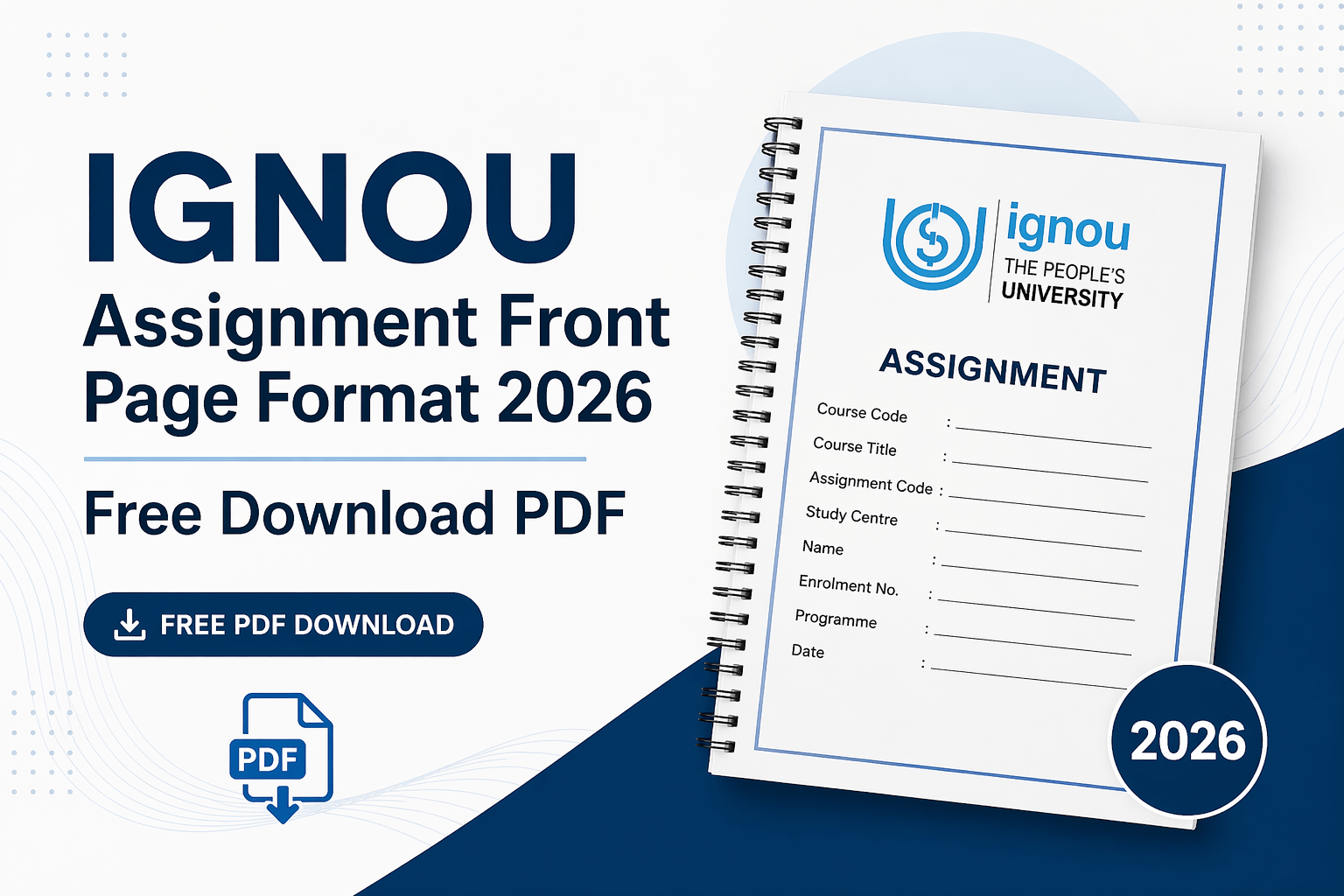
Looking for the latest IGNOU assignment front page 2026 format? Here you can get the IGNOU assignment front page PDF download, a clean IGNOU assignment cover page format, and a helpful IGNOU assignment front page sample to fill your details correctly. This page is designed for students who need a simple, printable, and accurate IGNOU assignment first page format for handwritten or online assignment submission.
Before preparing your assignment, students should always verify their course code, assignment session, and validity on the IGNOU Current Assignment Portal, where learners can search for assignments by program or course code and check assignment validity before downloading.
Quick Download
Download the blank IGNOU assignment front page format for 2026.
Click here to download a filled sample of the IGNOU assignment front page.
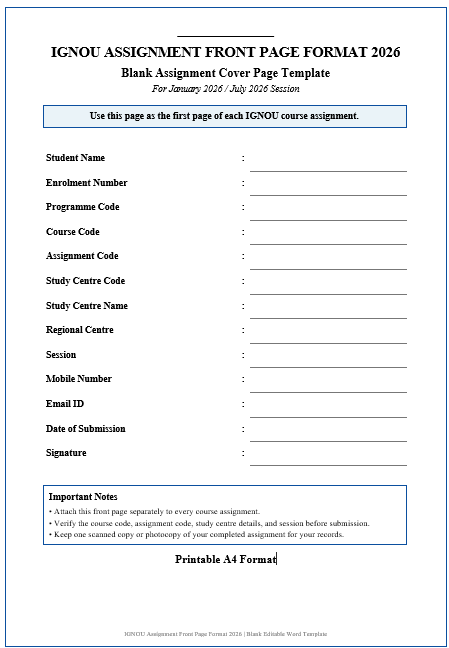
Image 1: IGNOU Assignment Front Page Format 2026
| Quick Information | Details |
| Page Type | IGNOU Assignment Front Page / Cover Page |
| Format | PDF / Printable A4 |
| Use For | UG, PG, Diploma, Certificate, and PG Diploma assignments |
| Suitable For | Handwritten assignments and scanned PDF submissions |
| Session | January 2026 / July 2026 |
| Best For | Course-wise assignment submission |
Download IGNOU Assignment Front Page PDF 2026
Students can download the IGNOU Assignment Front Page Format 2026 PDF and attach it as the first page of each solved assignment. This front page helps evaluators identify the student, program, course code, study center, session, and submission details without confusion.
For program-wise assignments, IGNOU also provides an official assignment portal with categories such as Master’s Degree, Bachelor’s Degree, PG Diploma, Diploma, Certificate, PG Certificate, and Appreciation programs.
Important: Do not write the same course code on every front page. Each assignment should have the correct course code, assignment code, session, and student details.
Download IGNOU’s official Assignments
IGNOU Assignment Front Page Format 2026 – Required Details
A good IGNOU assignment cover page format should include all essential details required by the university or regional centre. Some regional centres also publish their own cover page format, so students should check their regional centre instructions before final submission. For example, IGNOU Delhi regional centre formats mention a duly filled assignment submission cover page as part of the required assignment set.
| Detail | What to Write |
| Student Name | Your full name as per IGNOU records |
| Enrolment Number | Your official IGNOU enrolment number |
| Programme Code | Example: BAG, BCOMG, MEG, MCOM, MBA |
| Course Code | Example: BEGLA-136, MMPC-001 |
| Assignment Code | Write it if mentioned in the assignment question paper |
| Study Centre Code | Your allotted IGNOU study centre code |
| Study Centre Name | Name of your learner support centre |
| Regional Centre | Your IGNOU regional centre |
| Session | January 2026 / July 2026 |
| Mobile Number | Active contact number |
| Email ID | Active email ID |
| Date of Submission | Actual assignment submission date |
| Signature | Student signature |
This format is simple, formal, and suitable for most IGNOU assignments. However, if your regional centre has issued a separate format, use that specific format first.
How to Fill the IGNOU Assignment Front Page
Filling the IGNOU assignment front page is easy, but students should avoid spelling mistakes and incorrect codes. Follow these steps:
- Write your full name exactly as mentioned in your IGNOU admission record.
- Enter your enrolment number carefully. Do not leave extra spaces or miss digits.
- Mention your program code, such as BAG, BCOMG, MCOM, MEG, MBA, or BCA.
- Write the correct course code, such as BEGLA-136, BCOC-131, MMPC-001, or MEG-01.
- Add the assignment code if it is printed on the assignment question paper.
- Write your study center code and name as allotted by IGNOU.
- Mention the correct session, such as January 2026 or July 2026.
- Write the submission date on the day you submit the assignment.
- Sign the front page before attaching it to your assignment.
For the best presentation, use a blue or black pen, write neatly, and keep the front page clean. If you are submitting online, scan the complete assignment clearly and save it as a PDF.
Filled Sample of IGNOU Assignment Front Page
Below is a sample to understand how your front page should look:
| Field | Sample Entry |
| Name of Student | Rahul Sharma |
| Enrolment Number | 2301234567 |
| Programme Code | BAG |
| Course Code | BEGLA-136 |
| Assignment Code | BEGLA-136/TMA/2026 |
| Study Centre Code | 2907 |
| Study Centre Name | IGNOU Study Centre, Delhi |
| Regional Centre | Delhi-1 |
| Session | January 2026 |
| Mobile Number | 98XXXXXXXX |
| Email ID | rahulXXXX@gmail.com |
| Date of Submission | 25 March 2026 |
| Signature | Rahul Sharma |
This is only a sample. Students must replace all details with their own official IGNOU information.
Check Out: Sample Of IGNOU Assignments
Watch: How to Make the IGNOU Assignment Front Page (Video Guide)
Downloading the template is the easy part; filling it correctly is where most students slip. This video is a visual walkthrough of preparing the IGNOU assignment front page — how a correctly completed sheet looks and which details evaluators check first. Watch it once, then use the blank PDF above to prepare a separate front page for each course code.
Front page ready but the answers still pending? Get subject-wise IGNOU solved assignments for the current session, or order a complete handwritten assignment set delivered submission-ready. To order, message on WhatsApp: +91 93546 37830.
IGNOU Assignment Front Page Format for Handwritten Assignments
Most IGNOU students prepare handwritten assignments. In that case, the front page should be attached before the answer pages. Some regional centre instructions mention a sequence that includes the cover page, IGNOU identity card copy, valid assignment question paper, and handwritten assignment pages.
Follow these points for handwritten assignments:
- Use plain A4-size paper.
- Write answers in clear handwriting.
- Attach the front page as the first page.
- Use a separate front page for each course assignment.
- Write your name and enrolment number carefully.
- Keep margins for readability.
- Avoid plastic covers if your regional centre advises against them.
- Retain a photocopy or scanned copy for your records.
IGNOU Delhi-1’s cover page instructions also advise students to use plain A4 pages and write their name and enrolment number at the bottom of each assignment page.
Learn More: IGNOU Handwritten Assignment – Complete Format + Submission Guide
Important IGNOU Assignment Submission Guidelines
Before submitting your assignment, check the latest instructions from your regional centre or study centre. Submission rules may vary depending on the session, programme, and centre.
Students can use the IGNOU Student Services Downloads section to access assignment-related resources, current assignments, archived assignments, and previous year question papers.
Follow these general guidelines:
- Submit assignments before the last date.
- Use the correct assignment question paper for your session.
- Attach the front page to every course assignment.
- Keep your IGNOU ID card copy ready if required.
- Submit only to your allotted study centre or regional centre.
- For online submission, combine all pages into one clear PDF.
- Follow the file naming format suggested by your regional centre.
For online submission, some regional centre notices mention that the assignment file should be in PDF format and named using the enrolment number and course code.
Suggested file name format:
EnrolmentNumber-CourseCode.pdf
Example: 2301234567-BEGLA136.pdf
Must Read: Steps to Check IGNOU Assignment Submission Status
Common Mistakes to Avoid
Many students lose time because of small errors on the assignment front page. Avoid these common mistakes:
| Mistake | Correct Practice |
| Writing wrong course code | Check the assignment question paper |
| Using one front page for all subjects | Use a separate front page for each course |
| Missing enrolment number | Write it clearly on the front page |
| Wrong session | Mention January 2026 or July 2026 correctly |
| Poor scanning | Scan in clear PDF format |
| No signature | Sign before submitting |
| Using an outdated assignment | Submit only as per your allotted centre instructions |
| Writing the wrong course code | Check validity before writing |
A correct front page improves presentation and helps the evaluator identify your assignment quickly.
Need Help Preparing IGNOU Assignments?
Students often make mistakes in formatting, answer structure, references, and presentation. If you need academic guidance, formatting support, proofreading, help with project structure, or assistance with front-page preparation, get proper assistance before submission. Always write your assignment in your own words and follow IGNOU’s academic rules.
Visit: IGNOU Solved Assignments – Free Download PDF Solutions
Frequently Asked Questions
Is the IGNOU assignment front page compulsory?
Yes, students should attach a front page or cover page with each IGNOU assignment. Many regional centre formats include the assignment submission cover page as the first part of the assignment set.
Can I use the same front page for all IGNOU assignments?
No. Use a separate front page for each course assignment because every assignment has a different course code, assignment code, and subject details.
Should the IGNOU assignment front page be handwritten or printed?
You can use a printed front page and fill it in by hand, or write the full front page neatly on A4 paper. If your regional center provides a specific format, use it.
What details are required on the IGNOU assignment front page?
The front page should include the student’s name, enrolment number, program code, course code, assignment code, study center code, regional center, session, mobile number, email ID, submission date, and signature.
Where can I download the IGNOU assignment front page PDF?
You can download the blank and filled sample PDF from the download section of this page. Students should also check the official regional center instructions for any special cover page requirements.
Can I submit the IGNOU assignment without a cover page?
It is not recommended. The cover page helps identify your assignment. Submitting without it may create confusion during checking or record entry.
Should I attach the front page to every subject assignment?
Yes. Attach a separate front page to every subject or course assignment so that each file or booklet is complete.
What is the correct IGNOU assignment file name for online submission?
A safe format is EnrolmentNumber-CourseCode.pdf, unless your regional center has given a different format. Some regional center instructions specifically mention using the enrolment number and course code in the PDF file name.
In Summary
The IGNOU Assignment Front Page Format 2026 helps students submit assignments in a clean, organized, and accepted format. Download the PDF, fill in your details carefully, attach it to every course assignment, and verify your course code and assignment validity from official IGNOU sources before final submission. A well-prepared front page makes your assignment look professional and reduces the risk of submission errors.

BK Sahni iD 0009-0005-8092-459X
Founder, Shri Chakradhar Publication Pvt. Ltd. & ignouproject.com — helping IGNOU distance-learning students since 2010 (5,00,000+ students supported across MBA, MCom, MA & more). Author of IGNOU exam guides, solved assignments & project reference books.
Disclosure: Shri Chakradhar Publication Pvt. Ltd. and ignouproject.com are independent third-party study-help services — not the official IGNOU website. Always verify final dates and rules on ignou.ac.in.